DIONYSOS

Changelog

Stay up to date with the latest updates for Dionysos

v2026.06.29.1

✨ Highlights

Welcome to the v2026.06.29.1 release

This release includes improvements to licence management and a fix for the order summary recipient display.


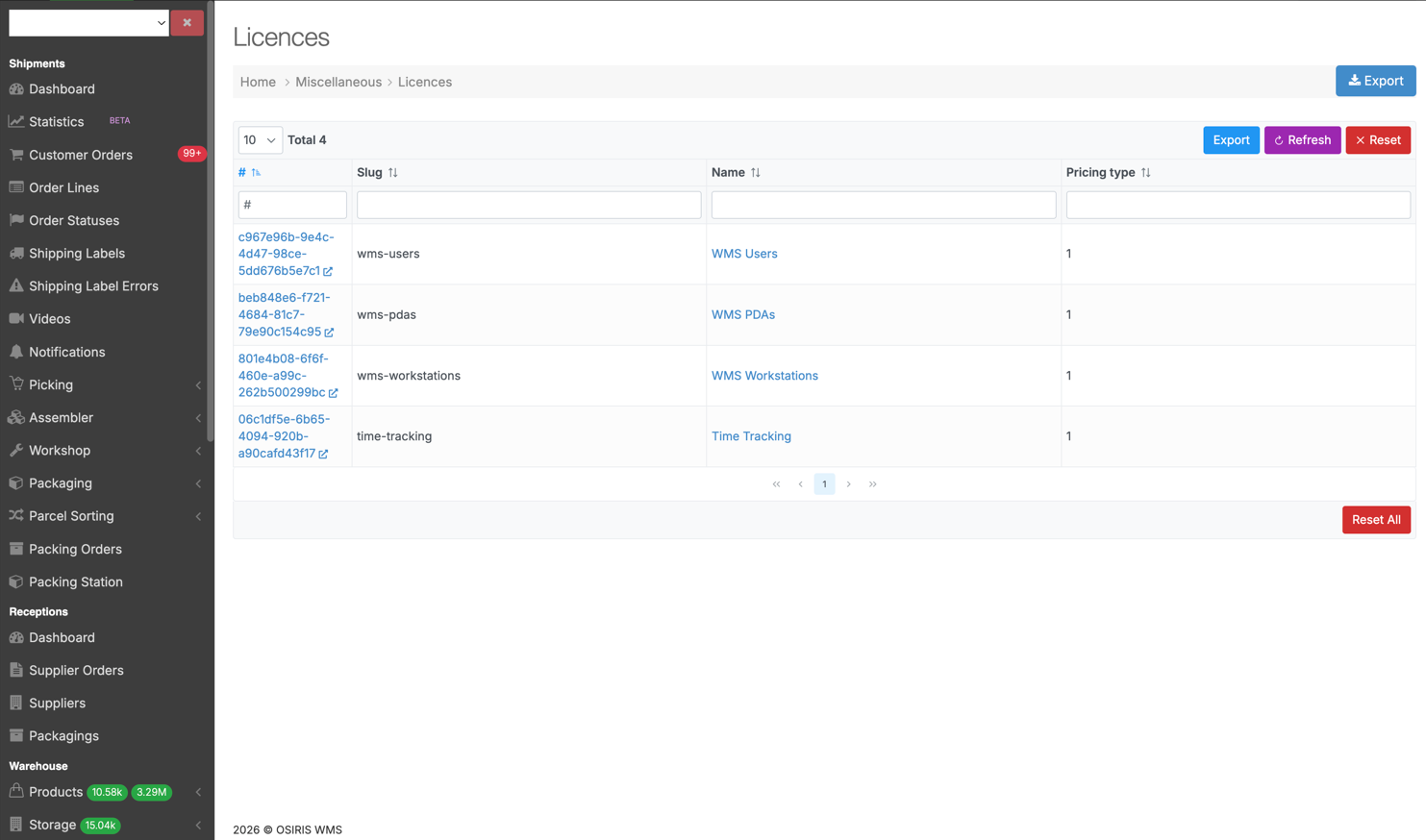
Enhanced Licence Management

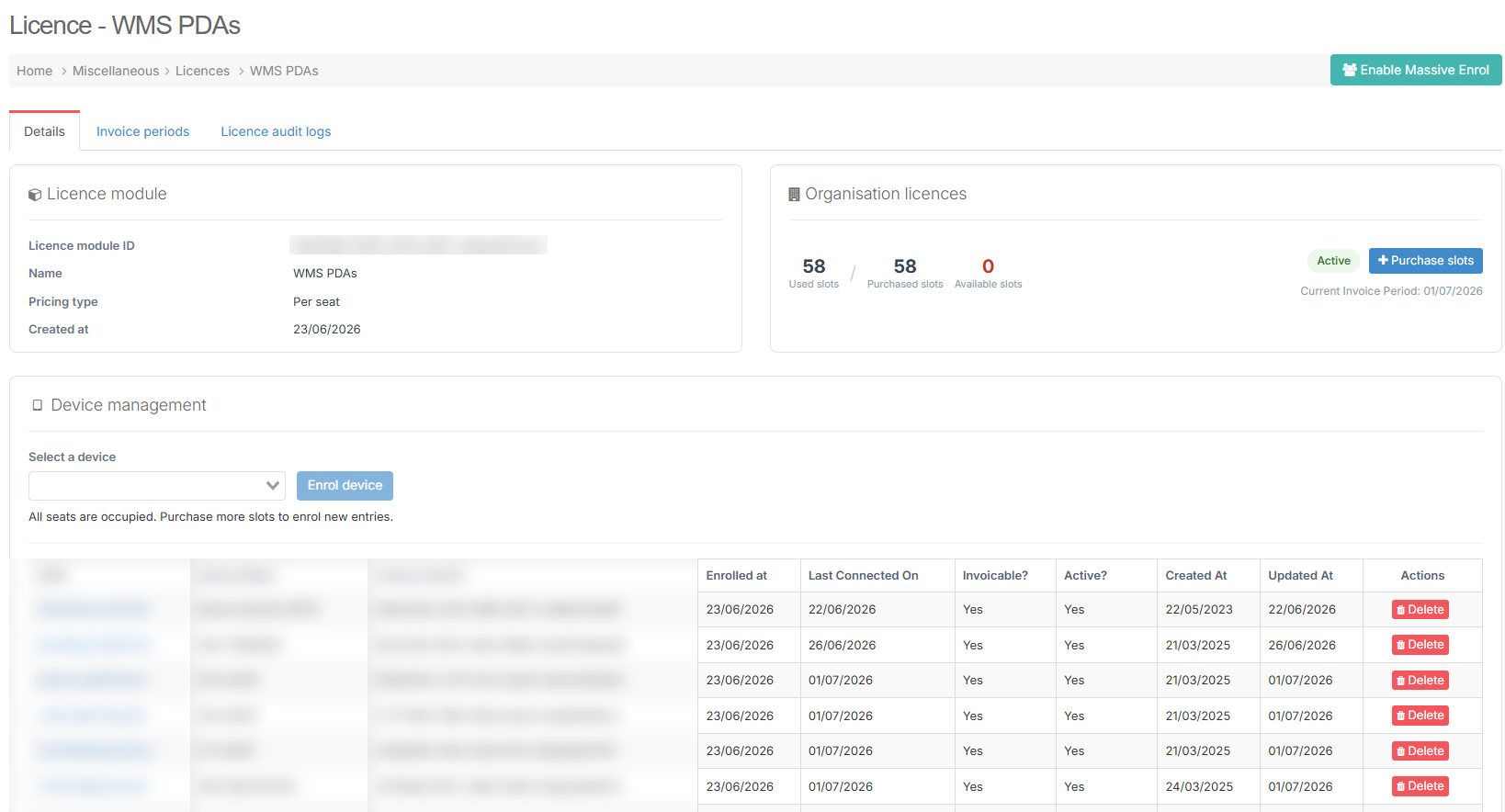
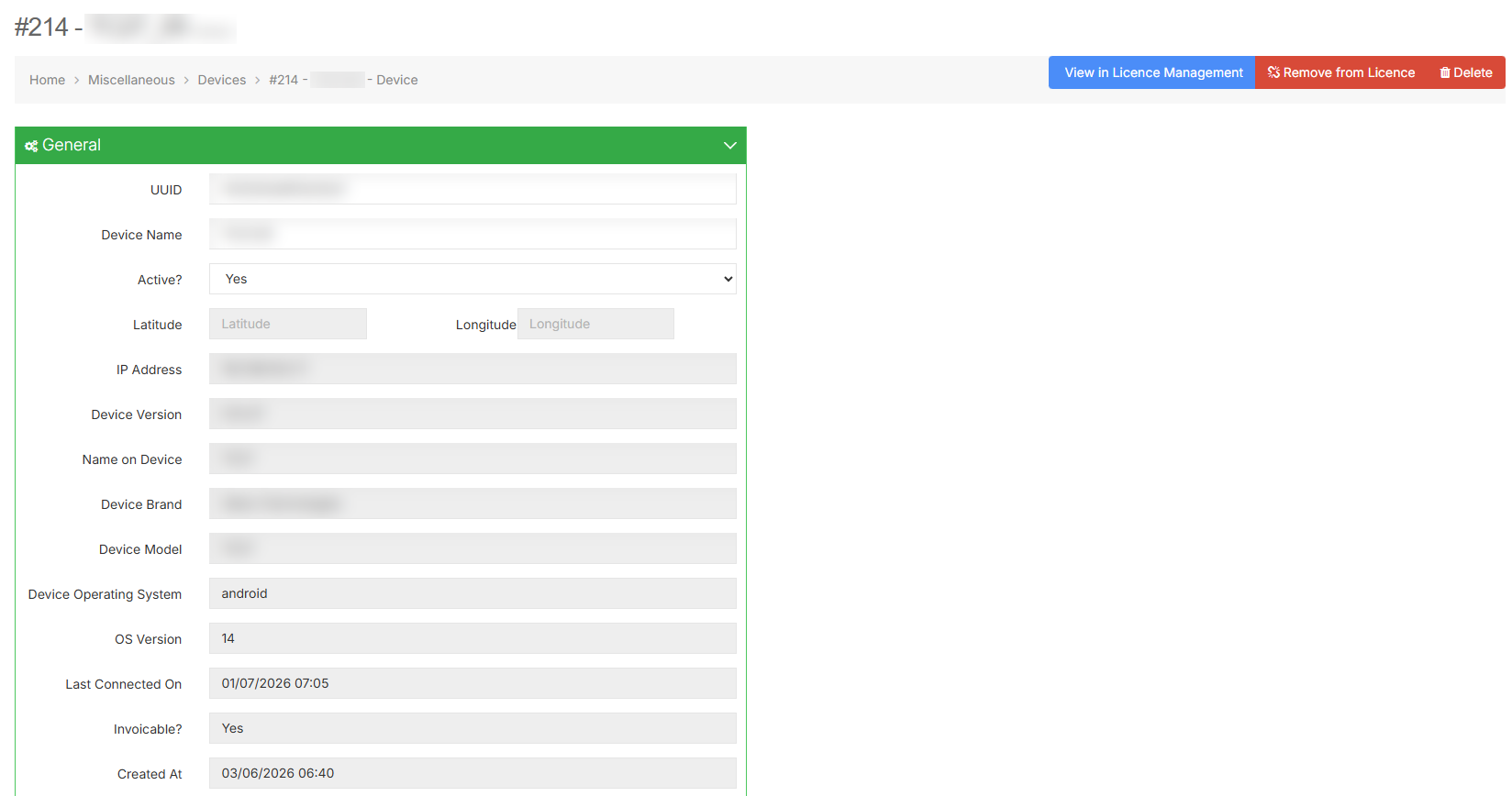
The Licence pages for PDAs, Workstations, and Users have been significantly improved. Administrators can now see key device and account information including Last connected, Invoiceable, Active, Created at, and Updated at , directly in the enrolled entries list, without navigating to a separate page. The enrol dropdown now filters out already enrolled entries and supports searching by device name in addition to MAC address or UID. Devices can also be removed from their licence seat directly from the Device detail page.
🚀 Features

WMS

  • The Licence pages for PDAs, Workstations, and Users now display additional columns : Last connected/logged in, Invoiceable, Active, Created at, and Updated at , making it easier to identify inactive devices and accounts without navigating away. The enrol dropdown now filters out already enrolled entries, and supports searching by device name in addition to MAC address or UID. Devices can also be removed from their licence seat directly from the Device detail page.
  • Per-Subsite Cron Schedule: Cron jobs are now processed at the subsite level individually. Custom schedules configured per subsite are correctly respected and executed, instead of all subsites being processed together under the parent site.

🐛 Bug Fixes

  • Fixed the Recipient column in the Customer Orders list not reflecting updated address data after duplicating and editing an order.
  • Fixed an issue with the cron schedule controller.
  • Recurring Export for Returns: Fixed the recurring export for returns being disabled, which caused return data to not be sent on schedule.

❤️ Thank You

We appreciate your trust and look forward to continuing to improve the platform with each release.
v2026.06.22.1

✨ Highlights

Welcome to the v2026.06.22.1 release of Dionysos WMS

This release introduces the Licence Management System for per-seat billing across users, PDAs, and workstations and a targeted fix for workstation scan error translations.


Licence Management System: Per-Seat Billing

Dionysos WMS now includes a full Licence Management System to track and control access for licensed users, PDAs, and workstations on a per-seat basis. Three independent modules are available — WMS Users, WMS PDAs, and WMS Workstations — each with its own seat count, billing, and enrolment management. Billing is per seat and applies for the full calendar month. Accessible via MiscellaneousLicences or Ctrl + K.


🚀 Features

WMS

  • Licence Management System: Introduced per-seat licence tracking for WMS Users, WMS PDAs, and WMS Workstations. Supports slot purchasing, enrolment and removal of entries, Massive Enrol mode (auto-purchases a seat when none is available), block screens for unlicensed PDAs and workstations, invoice period history, and full audit logs. Requires the Licence Access role.

🌐 Locales

Workstation

  • Corrected translations for scan error messages.

❤️ Thank You

Thank you for being part of the v2026.06.22.1 release of Dionysos WMS.

v2026.06.11.1

✨ Highlights

Welcome to the v2026.06.11.1 release of Dionysos WMS

Another release packed with improvements across WMS, PDA and the Website. 🚀


Documentation Portal

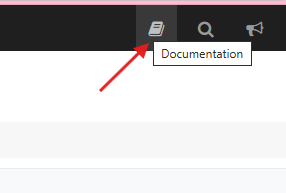
Dionysos WMS ow includes a private documentation portal, accessible directly from the top navigation bar in WMS. The documentation covers all WMS processes and is organized both by topic and by warehouse role, so every user can find what is relevant to them quickly. Please note: the Confluence documentation space will be removed by September.The new portal will be the single source of documentation for WMS going forward.


Custom File Names for Scheduled Exports

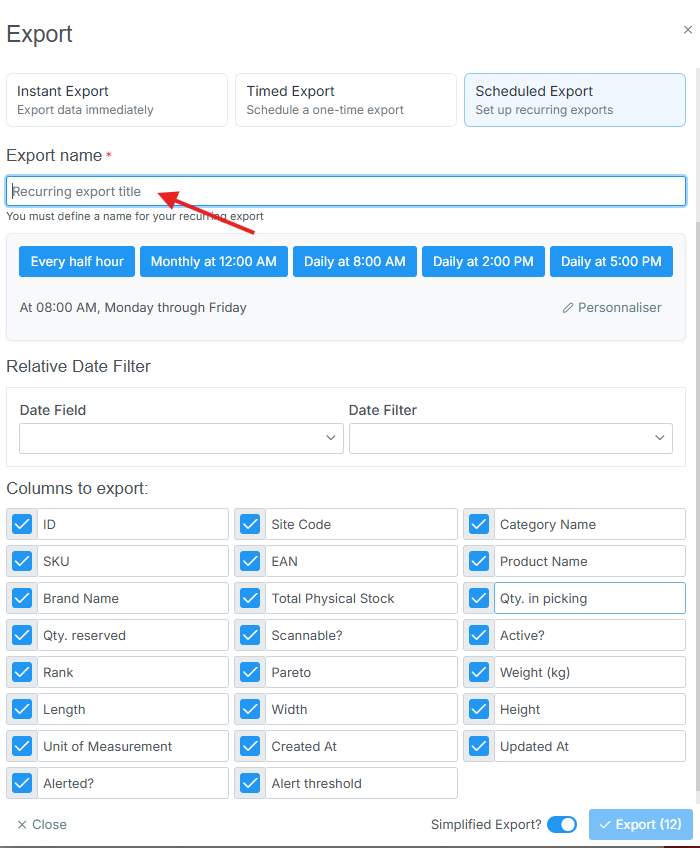
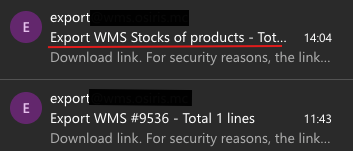
Scheduled exports can now be configured with custom file names. Teams managing multiple automated exports can now distinguish files at a glance without renaming them manually after download.


Website – Sitewide UI Redesign

The company website has been fully redesigned and refactored: a cleaner look, improved structure, and a better experience across all pages.


Auto Stock Recheck When Picking Path Changes

When an operator changes the picking path of an order, the system now automatically rechecks stock availability.


CB Scanning in Series Picking Superscan

In the Superscan "Picking series" section, operators can now scan a series using its CB barcode, in addition to the QR code.


🚀 Features

WMS

  • Documentation Portal: Added a private documentation portal accessible from the WMS top navigation bar, covering all processes organized by topic and warehouse role, with an integrated AI Assistant.
  • Auto Stock Recheck on Picking Path Change: The system now automatically rechecks stock availability when an order's picking path is changed.
  • Return Documents via API: Return documents can now be uploaded to WMS via API, enabling external systems to attach documents to return flows.
  • Custom File Names for Scheduled Exports: Added the ability to configure custom file names for scheduled exports.
  • CB Scanning in Series Picking Superscan: CB barcodes are now supported in the series picking superscan flow.
  • WMS Documentation Link: Added a direct link to WMS documentation from the Admin Panel.

PDA

  • QR Print for Trolleys and Pallets: Operators can now print QR codes for trolley and pallet parcels directly from the PDA.
  • Confirmation Before Picking Path Change: A confirmation modal now appears before saving a picking path change, preventing accidental modifications.
  • CB Scanning in Series Picking Superscan: CB barcodes are now supported in the superscan flow on PDA,consistent with WMS.
  • Back Button on Empty Position Page: Added a back button on the empty position page for easier navigation.

Worksation

  • Error Timestamps: Error messages now display the exact date and time they occurred, making it easier to identify and assess the relevance of each error.

Website

  • Sitewide UI Redesign: Revamped the full website with a new design and code refactor.

🐛 Bug Fixes

WMS

  • Empty All Positions Button: Fixed the "Empty All Positions" button not working as expected.
  • Sub-site in Modify Sub-Account: Fixed a bug where newly created sub-sites were not appearing in the "Modify Sub-Account" dropdown.

🌐 Locales

  • Fixed scan error translations in the Workstation.

❤️ Thank You

Thank you for being part of the v2026.06.11.1 release of Dionysos WMS.

With this update, we continue our commitment to refining the platform — addressing real operational needs, improving stability and enhancing the day-to-day experience across all teams.

We appreciate your trust and remain dedicated to building a system that grows alongside your business.

v2026.06.01.1

✨ Highlights

Welcome to the v2026.06.01.1 release of Dionysos WMS

Another release packed with improvements across PDA, WMS, and Connector. 🚀


WMS – Orders Created Today Counter

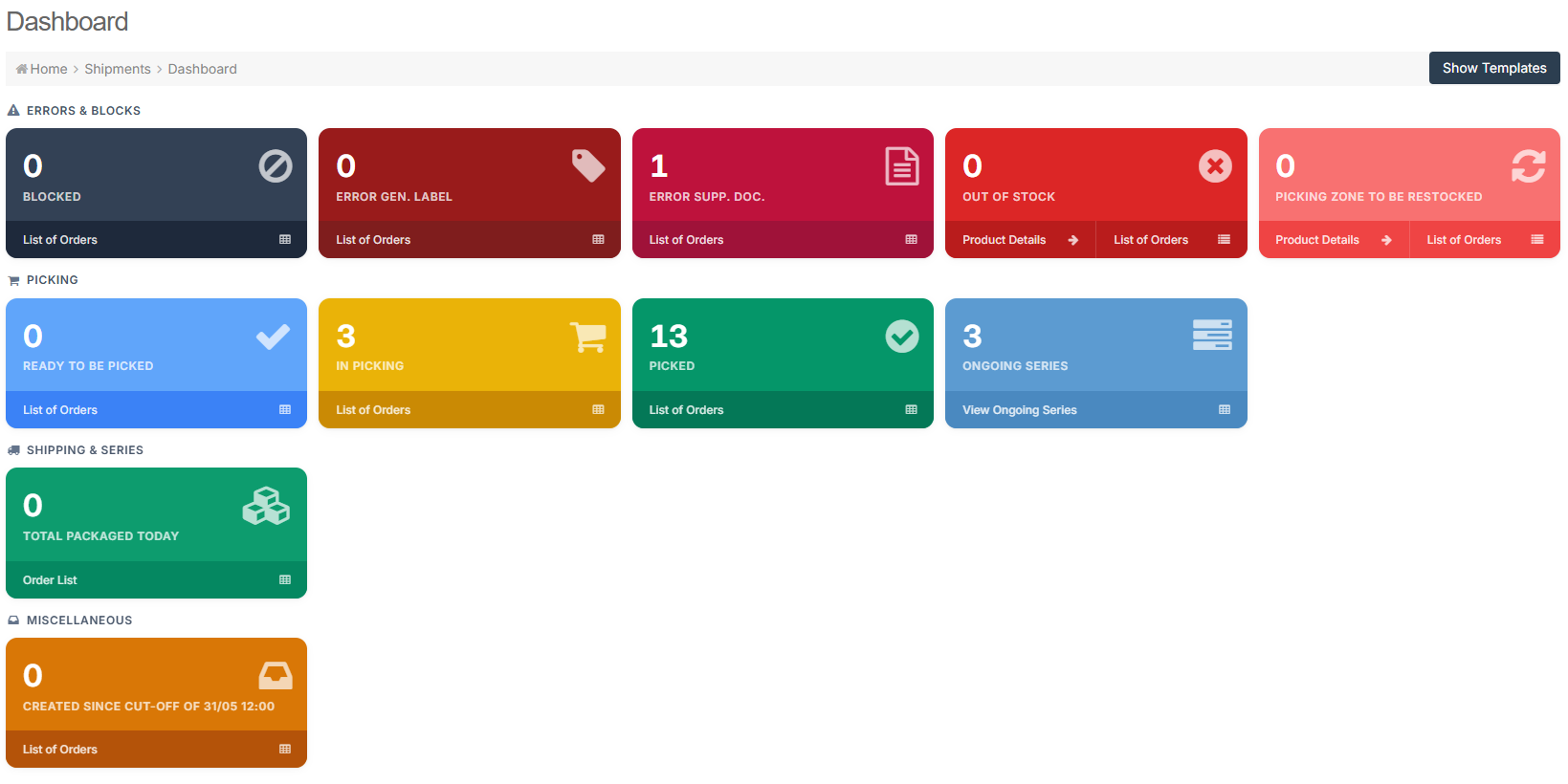
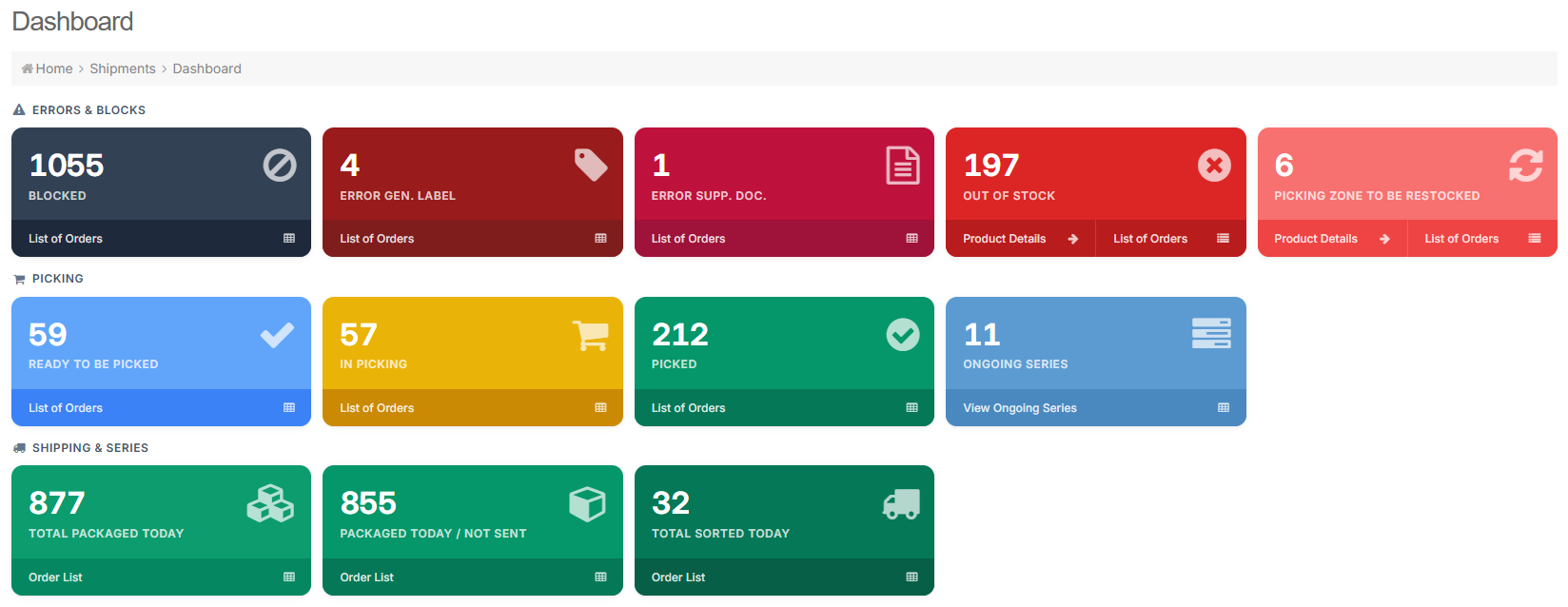
  • A new real-time counter card is now available on the dashboard, displaying the number of orders created since the previous cut-off. The counter updates automatically throughout the day, giving managers instant visibility at a glance.


PDA: Smarter Product Navigation from Box Contents

Warehouse operators can now tap directly on any product listed in the Box Information screen to open its full Product Details page.


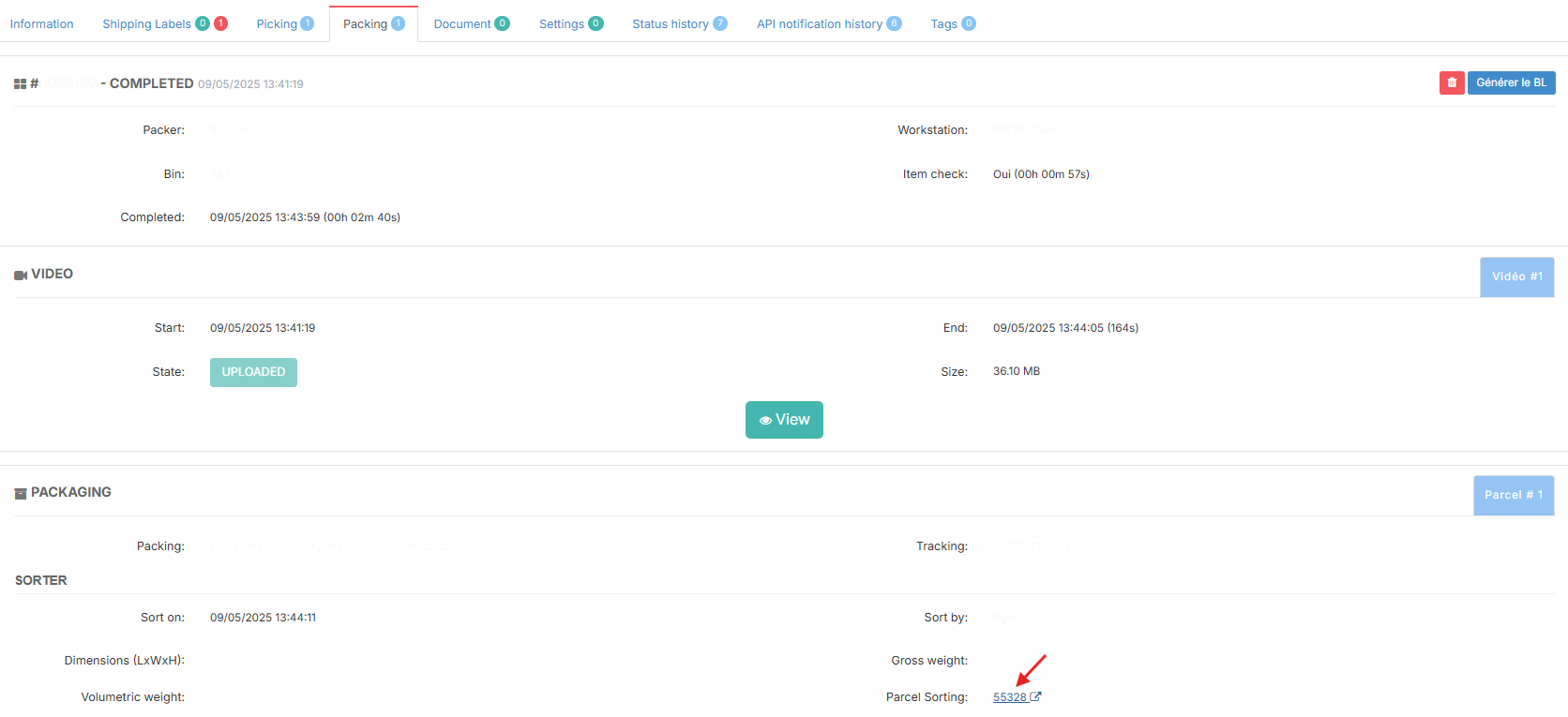
  • The Sorter section in the Packing tab now displays a clickable Tri Colis link, allowing users to navigate directly to the corresponding Tri Colis record without leaving the page.


🚀 Features

WMS

  • Added a real-time counter card on the client dashboard displaying the number of orders created since the previous cut-off, updating automatically throughout the day.
  • Added a clickable Tri Colis link in the Sorter section of the Packing tab, allowing users to navigate directly to the corresponding Tri Colis record.

PDA

  • Products listed in the Box Information screen are now clickable, opening the Product Details page directly from the box contents view.
  • Product positions are now sorted by DLUO ascending,then stock ascending by default, with zero-stock lines pushed to the bottom.
  • Improved label detection feedback in Superscan - error messages now clearly indicate whether a barcode is unrecognized or outside the allowed search scope.
  • Users can now scan a label belonging to a different client and view the order, provided they have the required access permissions.
  • Removed the confirmation dialog after scanning a printer QR code - the print request is now sent immediately upon scan.

Connector

  • Connector data is now automatically and permanently deleted when a connector is disabled and disconnected, ensuring compliance with GDPR data retention requirements.

🐛 Bug Fixes

  • Fixed an issue where scheduled exports were generating incorrect date ranges, causing exported data to not match the expected time period.
  • Fixed a freezing issue on the PDA app that was causing all buttons to become unresponsive, requiring users to restart the app.

❤️ Thank You

Thank you for being part of the v2026.06.01.1 release of Dionysos WMS.

We appreciate your trust and remain dedicated to building a system that grows alongside your business.

v2026.05.15.1

✨ Highlights

Time Tracking, Smarter Printing & Connector Reliability

Welcome to the v2026.05.15.1 release of Dionysos WMS.

This release delivers a major new feature - Time Tracking across PDA, Workstation, and Admin Panel, giving warehouse managers full visibility into operator activity.It also focuses on bug fixes and small but impactful UX improvements.

Time Tracking

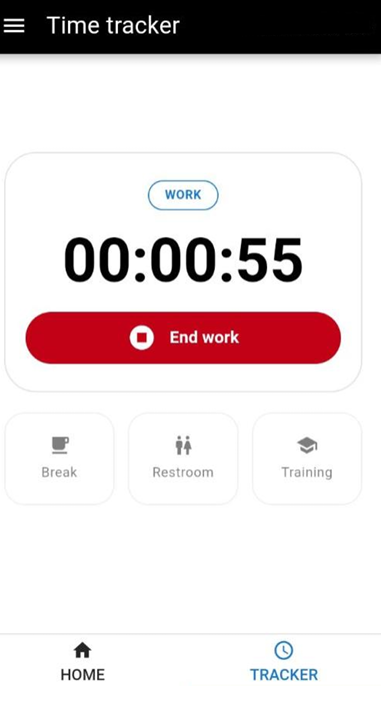
Dionysos WMS now includes a built-in Time Tracker across PDA, Workstation, and Admin Panel. Operators clock in and out, log breaks, restroom time, and training sessions directly in the system — with a live timer always visible.

  • Four activity types: Work, Break, Restroom, Training — only one active at a time
  • Warehouse Managers can view time records by employee and date range, monitor real-time status, and manually correct entries from the Admin Panel

Changelog now available in the Admin Panel

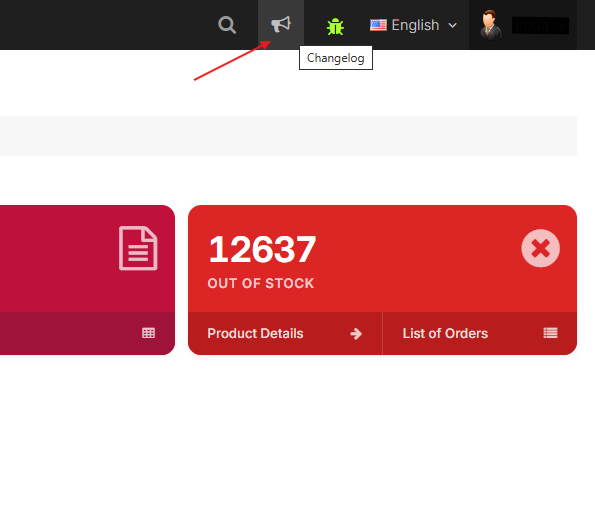
The changelog is now directly accessible from the WMS Admin Panel top navigation bar.

Stay up to date with the latest features, improvements, and fixes without leaving the WMS.

PDA – Select Printer by Scanning QR Code

Printing picking series just got faster in the warehouse.

Operators can now scan the QR code attached to any printer to instantly select it during the series picking print flow.

The manual dropdown remains available as a fallback for any situation where scanning is not possible.

🚀 Features

WMS

  • Implemented cross-platform time status tracking across Workstation, PDA, and Admin Panel , allowing operators to log working statuses and managers to review and manage activity records.
  • Added a changelog link in the Admin Panel top navigation bar, allowing users to stay informed about the latest updates.
  • Added a print modal for box QR codes, allowing direct printing to thermal printers instead of downloading a PDF.
  • Empty product lines are now automatically removed from multi-ref positions when stock reaches zero.
  • Added more filters (Active, Paperless, Transliterator) and improved translations on the carrier index page, including an updated tracking number format label.

Connector

  • Optimized Prestashop order import: the connector now pulls orders first and fetches only the specific side-resource IDs referenced in those orders, instead of broadly loading all resources upfront. Order import speed is noticeably improved.
  • Implemented Site Rules API v2 based on Symfony ExpressionLanguage, introducing a unified rule engine to replace hardcoded connector logic.

🐛 Bug Fixes

  • Fixed a Prestashop Notification V2 loop caused by an incorrect job class reference, which was preventing notifications from being processed correctly.
  • Fixed an issue where the exported Excel file contained data for the entire site instead of the selected sub-site only.

✨ Thank you

Thank you for your continued trust and feedback. With this update, we keep refining the system to better support real warehouse operations - improving visibility, reliability, and day-to-day efficiency across all teams.

v2026.04.22.1

✨ Highlights

Improved stability and usability across WMS modules

This release focuses on bug fixes, refactoring efforts, and small but impactful UX improvements.


TOTP page – Logout option

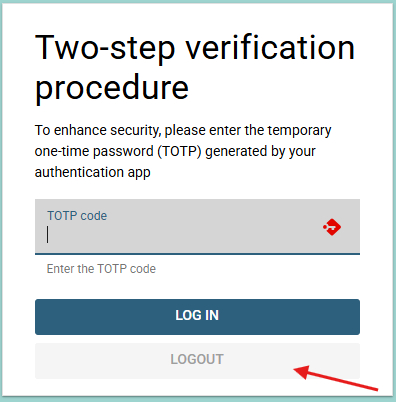
A logout option is now available at the bottom of the TOTP code page, allowing users to exit and restart the login flow without needing external help.


Dashboard – Clearer card labels

The "packaged" card in the sales order dashboard has been renamed from "Packaged Today / Not sorted" to "Packaged today / Not sent".


🚀 Features

WMS

  • Refactored tables and added missing translations to the product-reservation page for better consistency and readability.
  • Refactored tables and added translations to the export page.
  • Converted validation failure errors to AppException for improved error consistency across the application.
  • Refactored the cameras table in the camera page for cleaner structure and maintainability.
  • Added a logout option on the TOTP code page, allowing users to exit and restart the login flow without needing external help.

🐛 Bug Fixes

  • Fixed the "Exclude selected carriers" option, which now behaves as expected.
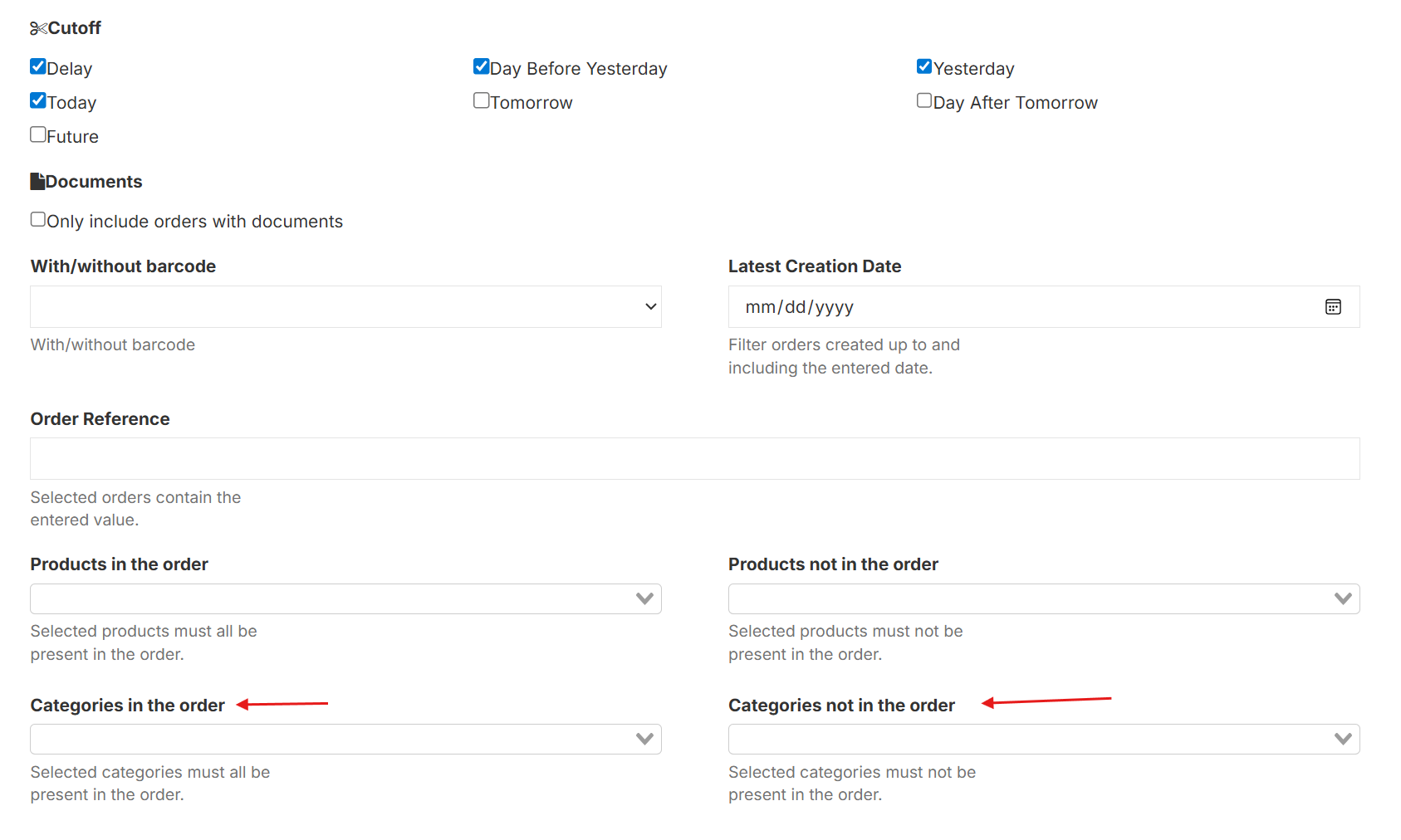
  • Fixed the category filter in the series picking generator.

🌐 Locales

  • Updated packaged card label from "Packaged Today / Not sorted" to "Packaged today / Not sent" in the sales order dashboard.
  • Added missing translations to the product-reservation page.
  • Added missing translations to the export page.

✨ Thank you

Thank you for your attention!

With this update, we continue our commitment to refining the platform — addressing real operational needs, improving stability, and enhancing the day-to-day experience across all teams.

v2026.04.13.1

✨ Highlights

Welcome to the 2026.04.13.1 release of Dionysos WMS.

Dig in - there's plenty to explore! 🎉


Command Palette - fast navigation

Navigating the Admin Panel just got significantly faster.

A new command palette is now available on all Vue-driven pages. Open it with a keyboard shortcut, type any page or action name, and jump there instantly, no more clicking through menus.


Invoice notifications in packing

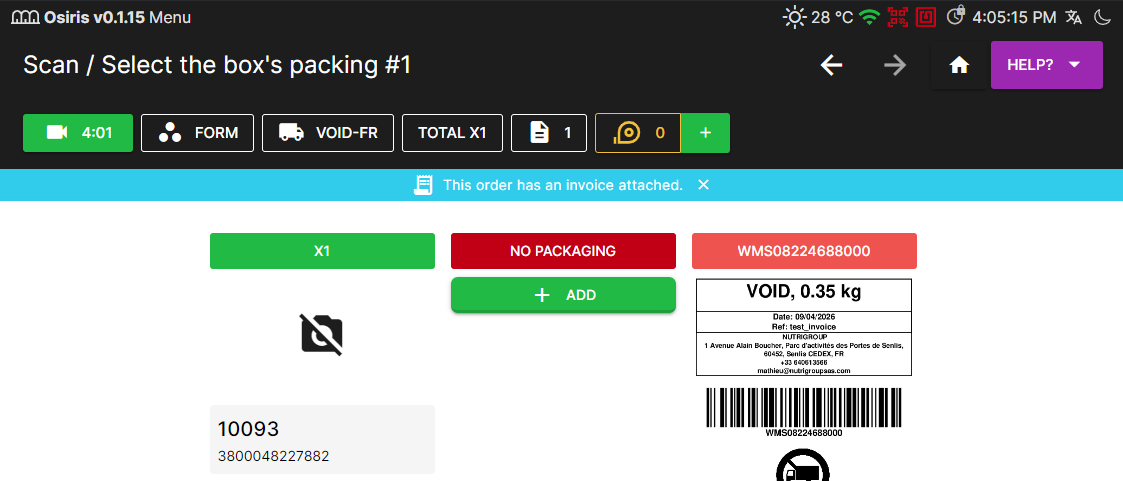
When an order has an invoice attached, packers are now automatically notified in the Workstation.

A dialog appears at the right moment, with a reminder bar if dismissed, so nothing gets missed during the packing process.


Products to restock

Clicking on the problem order now opens a full dedicated page, giving teams a clearer and more structured view of restocking needs, including per-subsite breakdowns when relevant.


Bulk position updates via import

Warehouse teams managing thousands of positions can now update them in bulk via import file.


🚀 Features

WMS

  • Added a command palette to all Vue-driven Admin Panel pages. Users can open it with a keyboard shortcut and search for any menu item or page by name, enabling fast, click-free navigation across the system.
  • Replaced the Products to restock modal with a dedicated page. Clicking the problem order count now opens a new page with the same detailed view.
  • Added bulk position update via import. Users can now update position at once through an import file, removing the need for manual one-by-one edits.
  • Added Batch and DLUO columns to the stock history export, giving teams more complete product traceability data in their exports.

Workstation

  • Added invoice notification in packing. When a packing order has an invoice attached, a dialog is shown to the packer with a reminder to include it.

🐛 Bug Fixes

  • Fixed dashboard card ordering so that "Total Packed Today" appears after "Total Sorted Today", correctly reflecting the real warehouse process sequence. Also restored missing conditional translations on the card.
  • Improved series picking filters to support multi-category selection and fixed the "Categories not in order" filter.
  • Added more detailed logging during series picking generation to improve visibility and assist in diagnosing issues.

✨ Thank you

These improvements reflect our continued focus on speed, reliability, and giving warehouse teams the tools they need to work with confidence at scale.

v2026.04.01.1

✨ Highlights

Making daily operations clearer and more reliable

Welcome to the 2026.03.31.1 releases of Dionysos WMS.

This release focuses on making warehouse operations more visible, controlled, and reliable.


More consistent packing workflow

The legacy “Mark order as shipped” action has been removed.

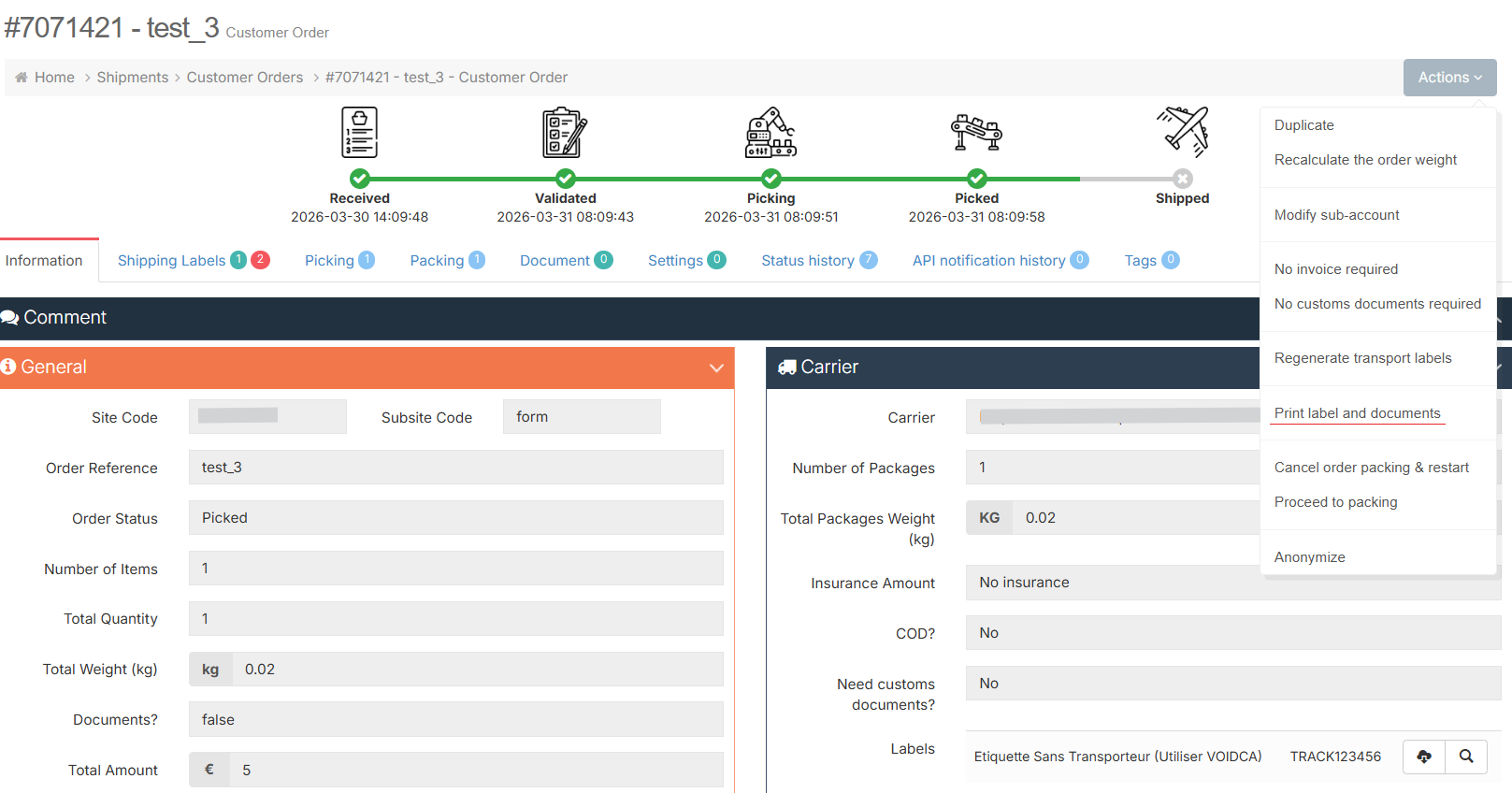
All packing from the Admin Panel now goes through the “Proceed to packing” flow, making the process more consistent and easier to follow.


More Reliable API & Data Consistency

We’ve improved the consistency and structure of data across WMS and API endpoints.

Position data is now more accurate and properly grouped, making integrations more reliable and predictable.


🚀 Features

WMS

  • Removed the legacy "Mark order as shipped" button from the Sales Order page. Packing from the Admin Panel now goes through the "Proceed to packing" button, keeping the workflow consistent and predictable.
  • Updated the Boxes section in site configuration to display the SKU instead of the name, making it easier to identify boxes for teams that work with SKUs rather than descriptions.
  • Added total order count to the Qty column in the Ongoing Series Picking page, giving pickers a clearer picture of overall progress at a glance.
  • Updated the "Site code" filter in the "Customers orders" page to use a multi-select dropdown, making it easier to group and view otders form multiple sites at once.
  • Updated movement history exports to include the site name, making it easier to filter and report on stock movements across multiple sites.
  • Added all transfer type options to the stock editing modal in WMS, matching the options already available in PDA.
  • Aligned naming of “Shipping Labels” and “Shipping Label Errors” across the sidebar and destination pages to ensure consistent navigation and clearer UX.
  • Added brand information to the stock history export, improving reporting clarity and providing more complete product data in exports.

Workstation

  • Added EAN display to items in the Returns view, making it easier to identify products during the return process.

🐛 Bug Fixes

  • Fixed a layout issue on the Location Position History page where empty fields caused columns to shift out of alignment with their headers, most notably the "Created At" column.
  • Ensured consistency between WMS and API product position data, providing accurate, complete, and non-duplicated stock locations when retrieving positions.

✨ Thank you

These improvements are part of our ongoing commitment to helping teams operate with greater confidence, accuracy, and efficiency at scale.

v2026.03.11.1

✨ Highlights

Smarter Picking Visibility, Safer Operations & Faster Configuration

Welcome to the 11.03.2026 release of Dionysos WMS.

This release introduces major improvements to picking visibility, operational safety, and warehouse configuration workflows.


Inprovements on Ongoing Series page

The Ongoing Series page has been redesigned to provide clearer real-time insight into warehouse activity. Managers can now easily see who is picking, current progress, and recent activity, with an optional fullscreen mode designed for large operational screens.


Bulk Bin Creation

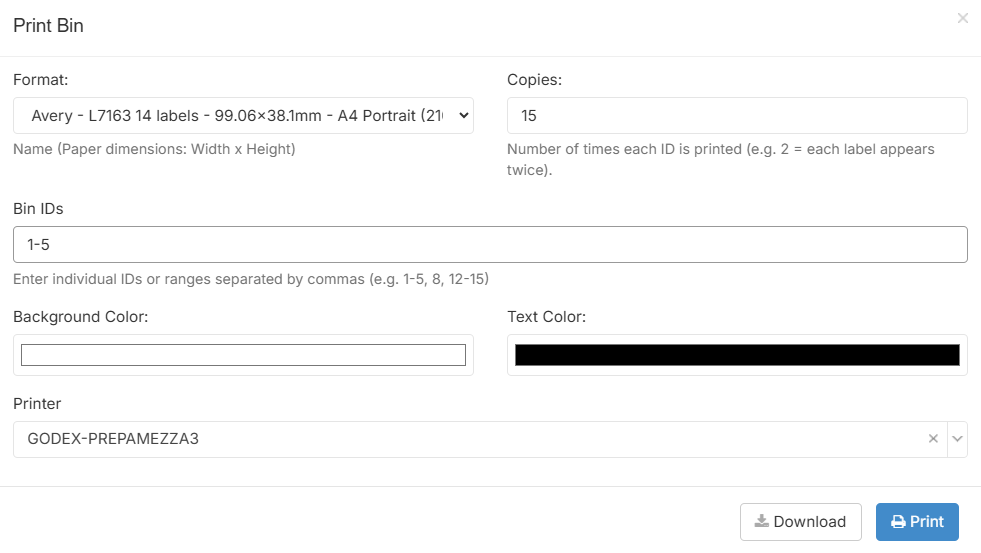
Bins can now be generated in bulk directly from the bac management page. Operators simply specify the required quantity and the system automatically creates the bins, dramatically reducing manual setup when preparing new picking capacity.


Customer-Specific Box Validation

The packing workflow now validates that scanned boxes are assigned to the correct customer. This prevents cross-customer box usage and ensures greater accuracy and consistency in packing operations.


Simplified Carrier Configuration Across Sites

Carriers can now be assigned to multiple sites in a single action, making it significantly easier to manage shipping configurations across multi-site warehouse environments.


🚀 Features

WMS

  • Improved the Ongoing Series Picking page to provide clearer real-time visibility of picking activity.
  • Introduced validation in the packing scan process to ensure that only boxes assigned to the correct customer can be used during packing.
  • Added bulk bin creation on /logistic/bac/index, allowing users to generate multiple bins at once by specifying the desired quantity.
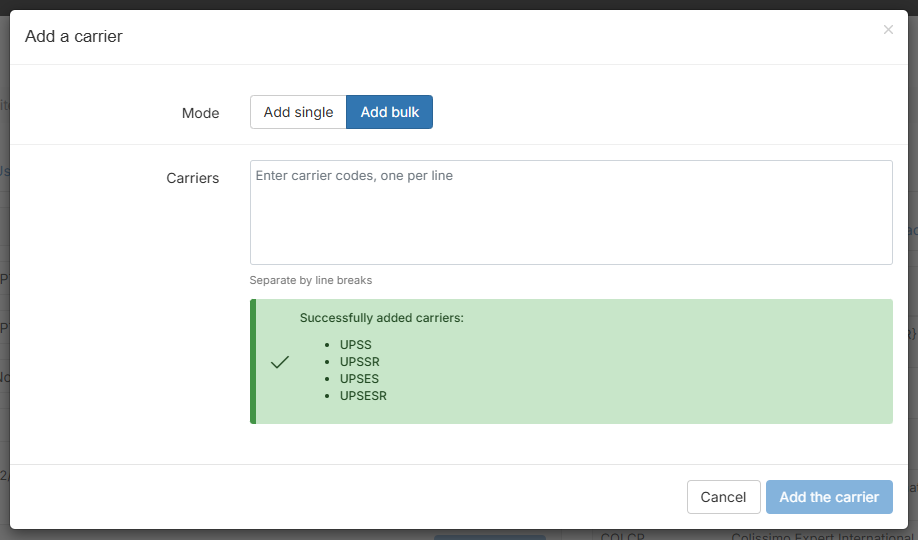
  • Added bulk carrier assignment to sites, allowing carriers to be assigned to multiple sites in a single action and simplifying carrier configuration.
  • Enforced unique barcode validation within series, preventing the creation of duplicate barcodes and ensuring data consistency in warehouse operations.
  • Restricted customer access to the Ongoing Series Picking page, ensuring that real-time warehouse picking activity is visible only to authorized internal users.
  • Improved the Product Statistics page to ensure more accurate quantity calculations across single and multi positions.
  • Added a “Site Code” column to the Sales Orders page, allowing users to quickly identify the associated site directly from the orders list.
  • Updated the Sales Order Dashboard card sizes to display better on wide screens, improving readability and layout balance.
  • Improved the Picker field UX on the Sales Order Dashboard page: removed the misleading required indicator and updated the placeholder to correctly reflect that the field is used to select a picker.

PDA

  • Restricted the first step of bac scanning to accept only valid 2D codes, preventing non-2D barcodes from passing validation.
  • Improved the Fast-Picking bin error message to provide clearer instructions for warehouse operators when scanning a bin that is already occupied by another series.

Connector

  • Completed a major Laravel framework upgrade from v8.83.23 to v11.48.0 to improve security, performance, and maintainability.

🐛 Bug Fixes

  • Updated the “Out for delivery” confirmation modal to close automatically and refresh the page correctly after the action is confirmed.
  • Corrected product stock calculation to ensure exported stock values correctly reflect quantities in picking and preparation states.

🌐 Locales

  • Implemented translations for previously untranslated texts and performed minor refactoring in the PDA to improve interface consistency and maintainability.
  • Updated French translations on the /logistic/bac/index page and removed a legacy print button, ensuring consistent terminology and keeping only the current printing workflow.

✨ Thank you

Dionysos WMS continues to evolve with the realities of modern warehouse logistics.

Thank you for your continued trust and feedback as we keep improving Dionysos WMS.

v2026.03.03.1

✨ Highlights

Clearer Monitoring, Safer Actions & Stronger Stability

Our March 3, 2026 update for Dionysos WMS is now available.🎉

This release makes daily warehouse operations smoother and more reliable, with a redesigned Sales Order Dashboard for better visibility and more flexible export options for accurate reporting. We also added extra safeguards for critical actions and improved PDA stability during picking and printing to support your team’s everyday work.


Sales Order Dashboard Redesign

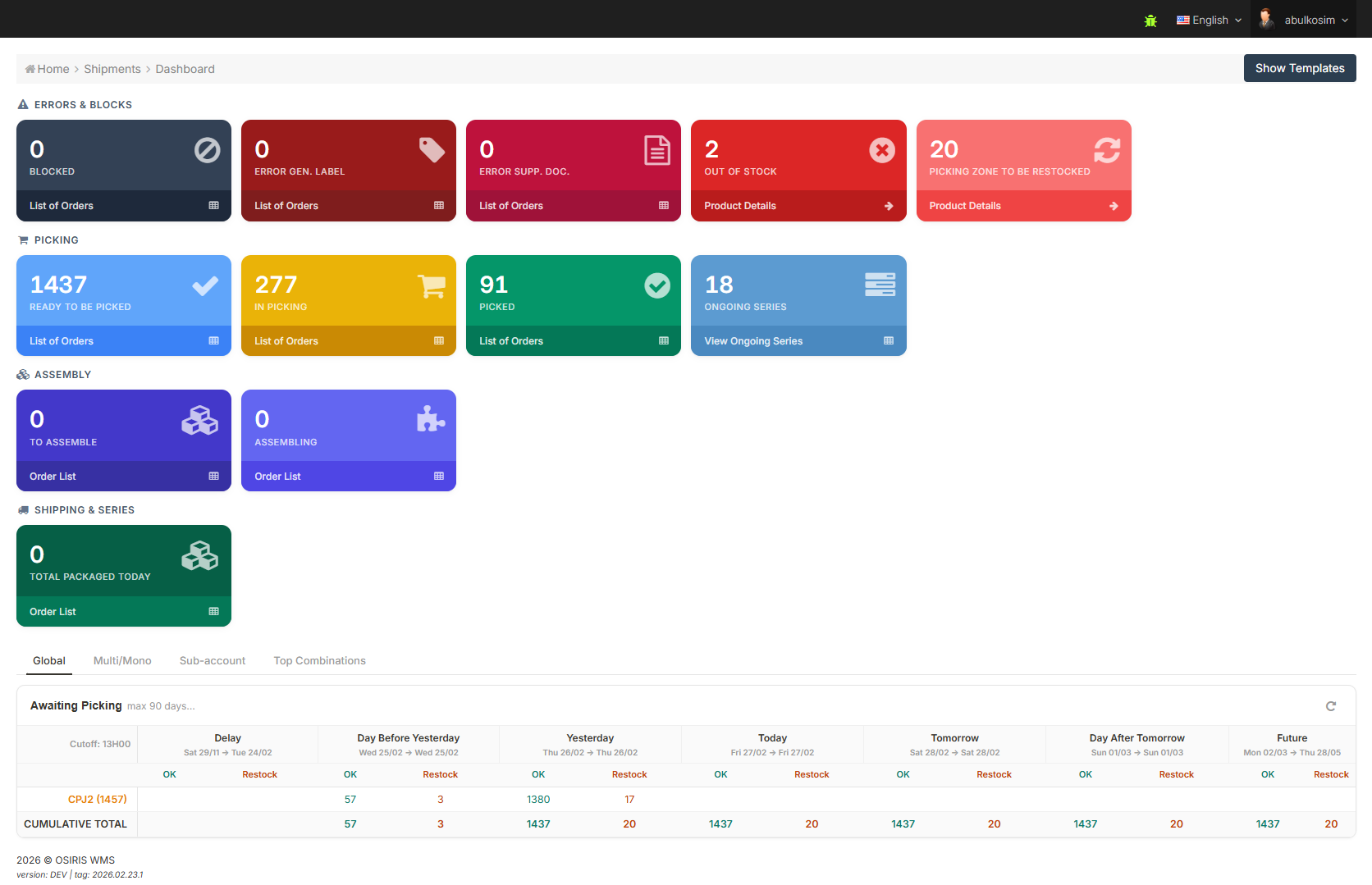
The Sales Order Dashboard has been redesigned to give teams clearer and more structured operational visibility.

We’ve added a new “Blocked orders” card and reorganized the dashboard into four logical sections - Errors and Blocks, Picking, Completed, and Assembly, Shipping & Series, making daily monitoring more simple and actionable.


Smarter Relative Date Exports

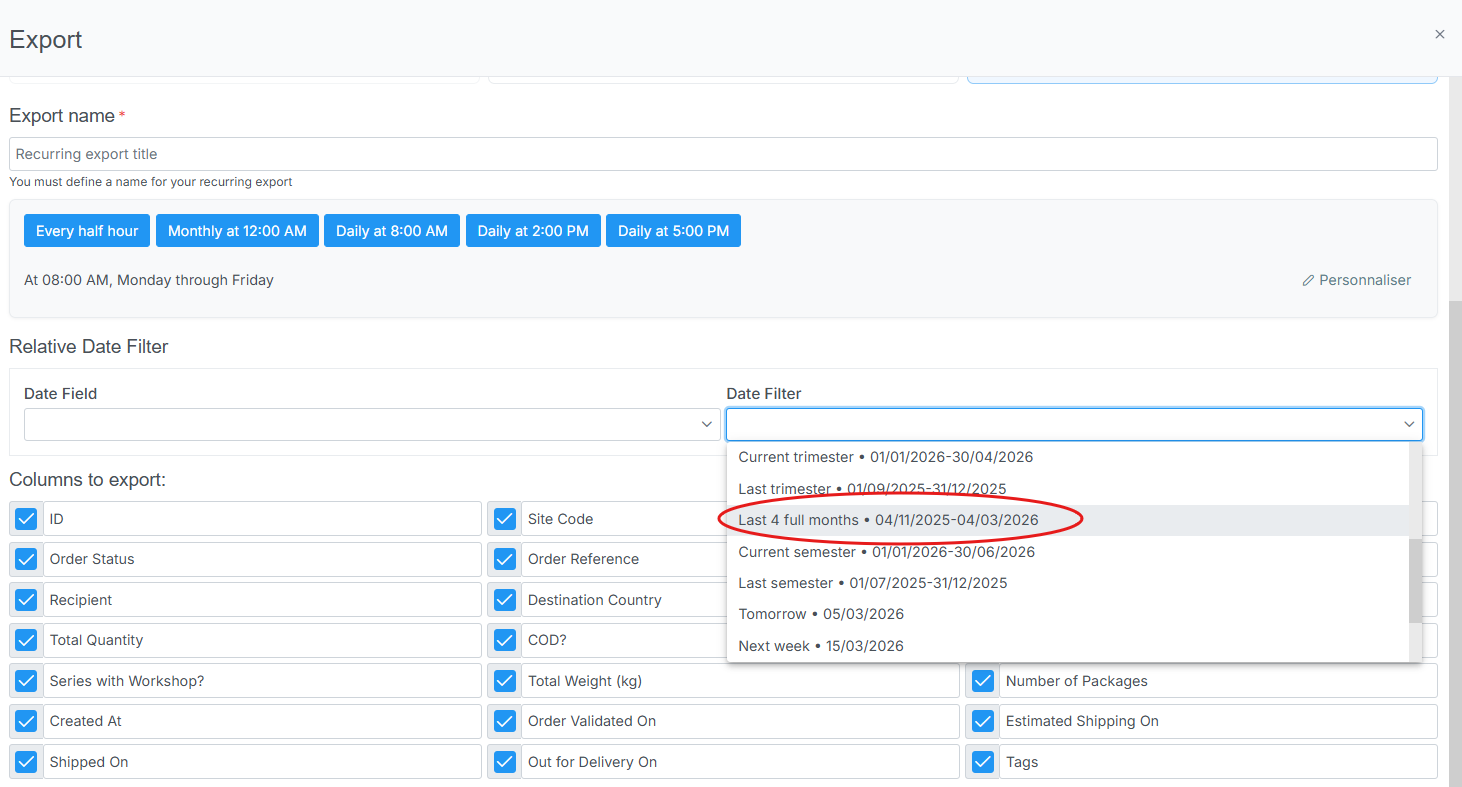
Exports can now be generated based on the last four months counted backwards from the export date.

This improves flexibility for scheduled exports and makes monthly reporting more accurate.


🚀 Features

WMS

  • Improved the Sales Order Dashboard UI and refactored the main component. Added a “Blocked orders” card and reorganized dashboard cards into four logical rows (Errors and blocks, Picking, Completed, Assembly, Shipping & Series) for clearer monitoring and better visibility of operational status.
  • Added an additional option to the relative date filter, allowing exports to be generated based on the last four months counted backwards from the export date, enabling more accurate monthly scheduled exports.
  • Improved the Picker field UX on the Sales Order Dashboard page.
  • Updated the “Out for delivery” button label on the packer sort page to use action-based wording (“Mark as out for delivery”) instead of a status-like label, to avoid confusion and clearly reflect the action performed.
  • Adjusted the “Out for delivery” confirmation modal so it now closes automatically and refreshes the page correctly after the action is confirmed.
  • Added a confirmation prompt before executing the “move homogeneous series” action.

PDA

  • Improved handling of server-side errors on the PDA to ensure clearer error messages and more stable behavior when printing positions and performing critical actions.
  • Updated the bac addition process during picking to improve scanning stability and prevent errors when adding new bacs.
  • Improved the Print Series behavior and added a permission check before allowing series printing.

🐛 Bug Fixes

  • Corrected the Location Position controller to ensure stable handling of position-related operations in WMS.
  • Fixed the Sales Order Find Controller to properly handle order source filtering.
  • Restored proper functionality of the shipping label carrier filter.
  • Restored reference filtering functionality within the Series Picking view.
  • Fixed document deletion handling to ensure accurate UI updates and confirmation messaging.

🌐 Locales

  • Updated and improved the Uzbek translation on the corporate website main page to ensure clearer wording, better readability, and consistency with the Russian and English versions.

✨ Thank you

Thank you for being part of the Dionysos WMS.

With each release, we continue refining the platform to better support real warehouse operations : improving clarity, stability, and day-to-day efficiency across teams.

We appreciate your trust and remain focused on building a system that evolves alongside your operational needs.

v2026.02.16.1

✨ Highlights

Operational Safety, Traceability & Faster Picking

Welcome to the 2026.02.16.1 releases of Dionysos WMS.

This release focuses on operational safety, traceability, and system integrity.

We’ve implemented safeguards to prevent fulfillment inconsistencies, expanded visibility across movements and picking sessions, and refined scanning workflows to improve both speed and reliability in real warehouse environments.


Order Protection After Fulfillment Starts

Orders are now automatically locked once fulfillment begins and clients can no longer modify the sub-account, shipping label, or shipper/recipient address details. By preventing further modifications during fulfillment, the system ensures process consistency and reduces the risk of costly operational errors.


Fast-Picking:Bin scanning optimization

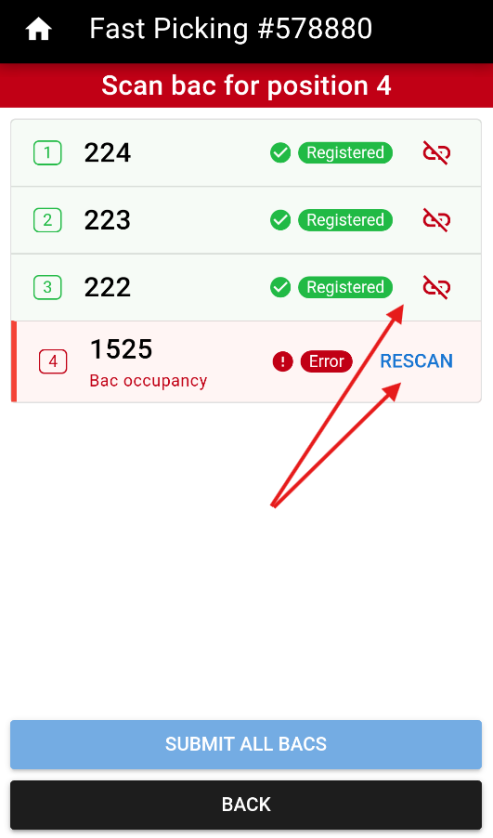
Fast-Picking bin scanning has been redesigned to be faster, clearer, and easier to manage.

Bins are now scanned first and validated together at the end of the step, giving users a full overview and showing all issues in one place.

If a bin is incorrect or has an error, users can:

  • View the issue directly from the list
  • Rescan the affected bin
  • Detach a bin and replace it instantly


Series Picking Traceability

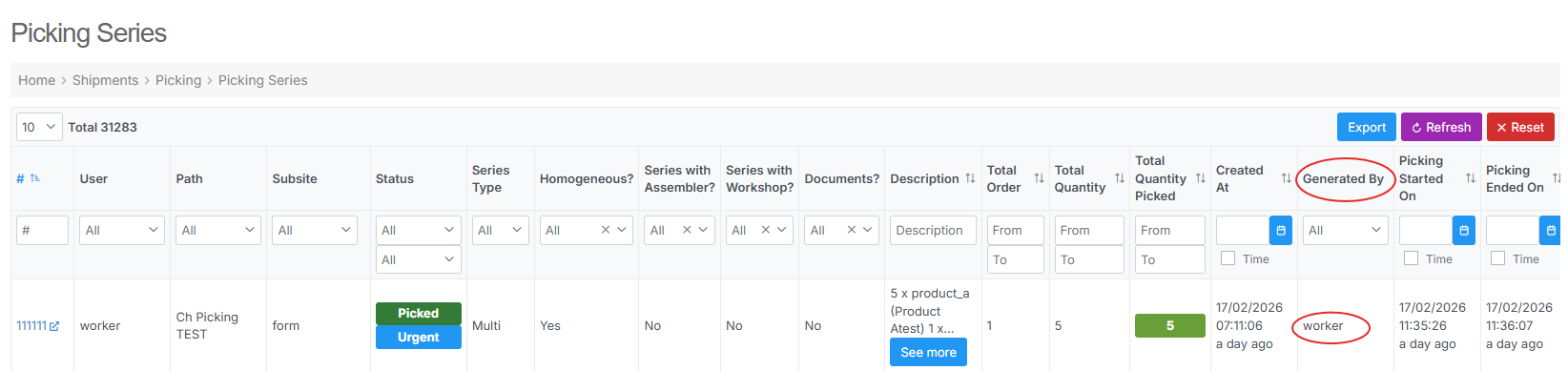
Each Series Picking session now includes its creator. This strengthens traceability across picking workflows and improves accountability in daily operations.


Updated Branding

The new company logo has been rolled out across PDA and Workstation, ensuring consistent branding across all user-facing interfaces.


🚀 Features

WMS

  • Locked orders automatically once fulfillment starts to prevent accidental edits and operational inconsistencies.
  • Series Picking now records the session creator, improving accountability and investigation workflows.
  • Added a Client column to Movement Histories for clearer traceability and faster filtering.
  • Updated the company logo across PDA and Workstation for a consistent product experience.

Workstation

  • Displayed the client name on the Return Station info screen to make returns easier to identify during searching.

PDA

  • Fast-Picking bin scanning now shows a full bin overview and validates scans at the end of the step. Incorrect bins can be resolved directly from the list using Rescan or Detach.

Connector

  • Updated Shopify connector authentication to support Shopify’s new app setup, so new stores can connect using the required credentials while existing stores keep working as before.
  • Enhanced receipt line matching logic to correctly map items even when only template_ref is provided, preventing incorrect quantity skips.
  • Updated Magento shipment integration: items are no longer sent in the shipment query.

🐛 Bug Fixes

  • Blocked picking of products with an expired DLUO, preventing expired items from being shipped to customers.
  • Fixed an issue where the User filter in the Picking Series list did not display any results when typing, preventing filtering by user.
  • Updated sales order recalculation weight bulk in Admin Panel.

🌐 Locales

  • Updated Slovak backoffice translations for better consistency across menus and actions.

✨ Thank you

Dionysos WMS continues to evolve with the realities of modern warehouse operations. Every release is another step toward a more predictable, transparent, and resilient system.

v2026.02.02.1

✨ Highlights

Changelog

Welcome to the 2026.02.02.1 releases of Dionysos WMS.

We have introduced this changelog to keep you up to date with the latest improvements across our WMS, Workstation, PDA, and Connector platform.
This release focuses on real-time Series Picking visibility, stronger warehouse planning tools, enhanced PDA workflows, and major Connector upgrades.


Real-time Picking Monitoring

Warehouses can now follow Series Picking sessions live through a dedicated ongoing page that updates instantly as work progresses.


Instant Access with Super Scan

Series Picking can now be launched immediately from the PDA by scanning a barcode, giving pickers faster access and quicker document printing*.

Note: *Print Series is currently available as a beta feature, as it is not possible to cover every warehouse scenario.


Richer Movement History

Movements in the PDA have been expanded with a new Movement Histories page, including comments, image attachments, and clearer operational context.


Category-based Order Filtering in Picking Generator

The Picking Generator now allows orders to be filtered by product category, making order selection more precise.


Export Empty Positions from LocationPath

LocationPath now supports exporting all empty storage positions, helping teams plan availability, reorganize paths, and prepare future warehouse layouts.


🚀 Features

WMS

  • Added an Ongoing Series Picking page with real-time updates for monitoring active picking sessions.
  • Refined table layouts for better readability and navigation.
  • Enhanced the Notifications page by making message details easier to view and copy, with full translations included.
  • Added subsite filtering to the Order Statistics export, allowing clearer B2C vs B2B performance analysis.
  • Introduced scheduled email exports for movement history reports.
  • Improved bulk order weight recalculation for more accurate weight updates.
  • Updated parcel label generation history to ensure the correct user is shown when labels are manually regenerated.
  • Enabled packing instructions to be included during order import, so packing teams can see required messages directly in the workflow.
  • Enabled order filtering by product category in the Picking Generator.
  • Added an export option for empty positions in LocationPath to support planning and availability checks.

Workstation

  • Implemented packing by Series Picking Number, enabling workstations to process packing operations through series picking orders.

PDA

  • Added a new Movement Histories page showing movement details, with support for comments, image attachments, and filtering by position key via scanning.
  • Added a Series Picking statistics page for warehouse workers, with filters by site and time period.
  • Added the Super Scan feature for Series Picking, enabling quick access by barcode scan and document printing.
  • Included EAN information on the Boxes page to improve product identification during scanning and packing.

Connector

  • Implemented sales order chunking in Shopify jobs to prevent overload and improve stability.
  • Extended Shopify Connector support with the new Pickup Point module, including Colis Privé compatibility.
  • Updated required authentication fields for Shopify sites to match the new Shopify app creation process.

🐛 Bug Fixes

  • Fixed an issue in multi picking where incorrect batch and DLUO values could be requested, which could block order processing.

🌐 Locales

  • Introduced Uzbek language support to the PDA.
  • Added translations to the Statistics and Videos pages to match the selected interface language.

✨ Thank you

These updates are designed to help warehouses execute faster, plan smarter, and stay fully synchronized across systems - making daily operations smoother and more efficient.